


How to Register for Courses Within Your Programme
You register for courses within your programme via universityadmissions.se. Here, we guide you through the process step by step.
Important Information
- Log in to University Admissions (antagning.se) to secure your guaranteed place on compulsory and elective courses within your programme.
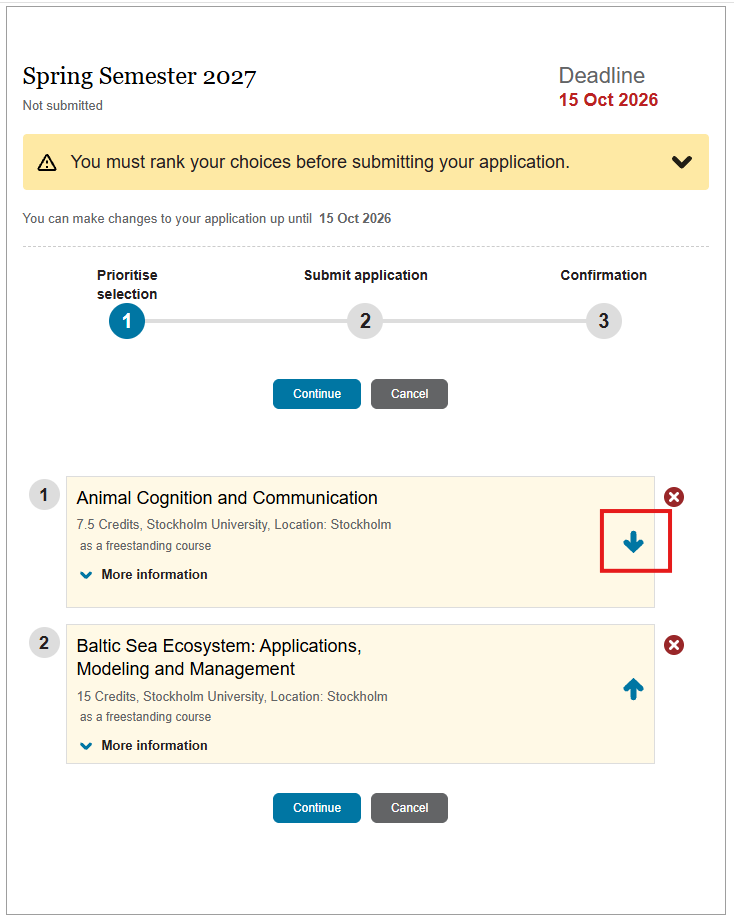
- When ranking your course choices, list them in the following order:
- Compulsory courses
- Elective programme courses
- Optional courses
Step 1: Log in to universityadmissions.se
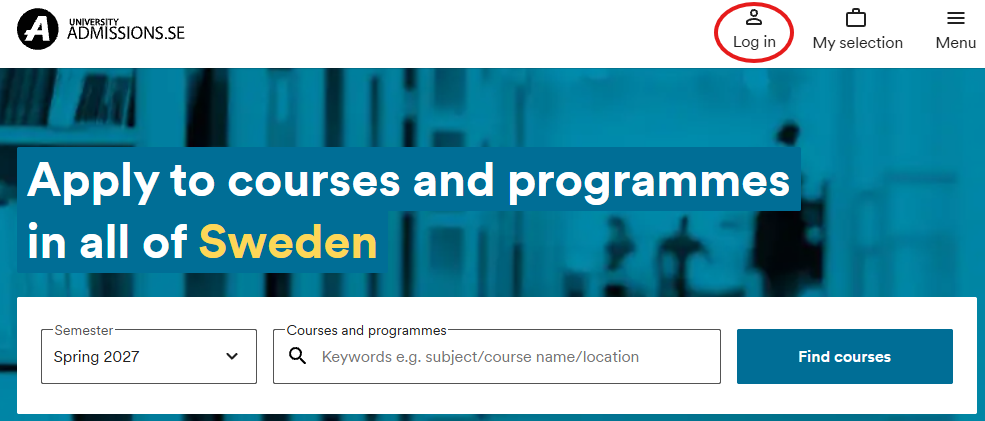
Go to University Admissions (antagning.se) and click "Log in" in the top right-hand corner.
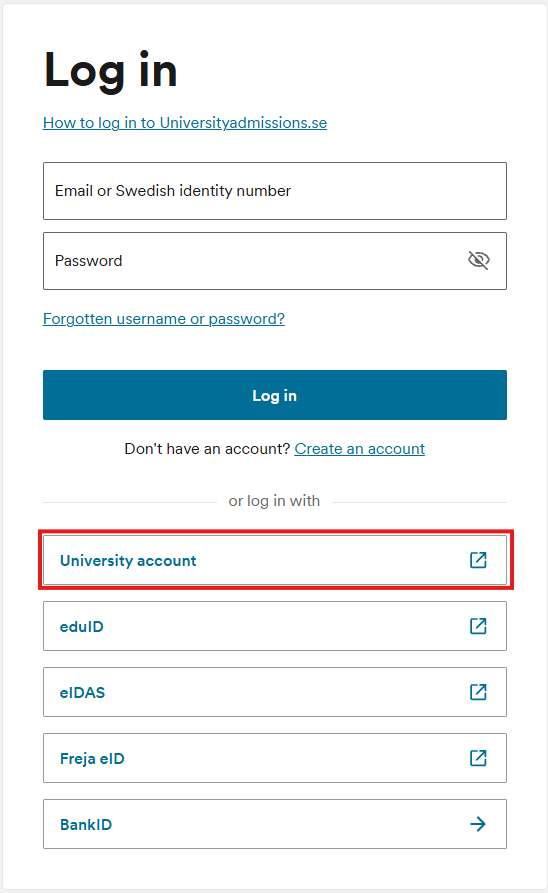
Log in using your University Account.
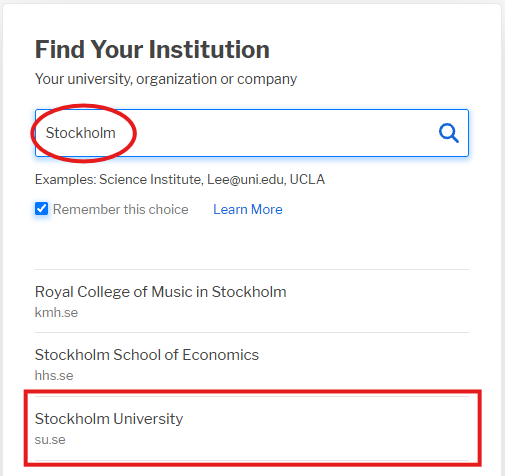
Search for "Stockholm University" and log in using your University Account credentials.
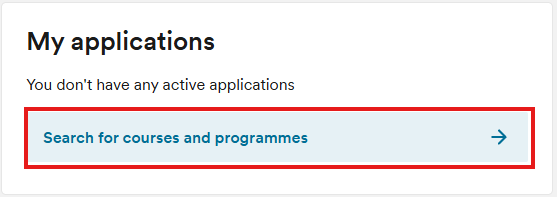
Once you have logged in, return to the homepage to search for courses. Click on "Search for courses and programmes".
Step 2: Select your courses
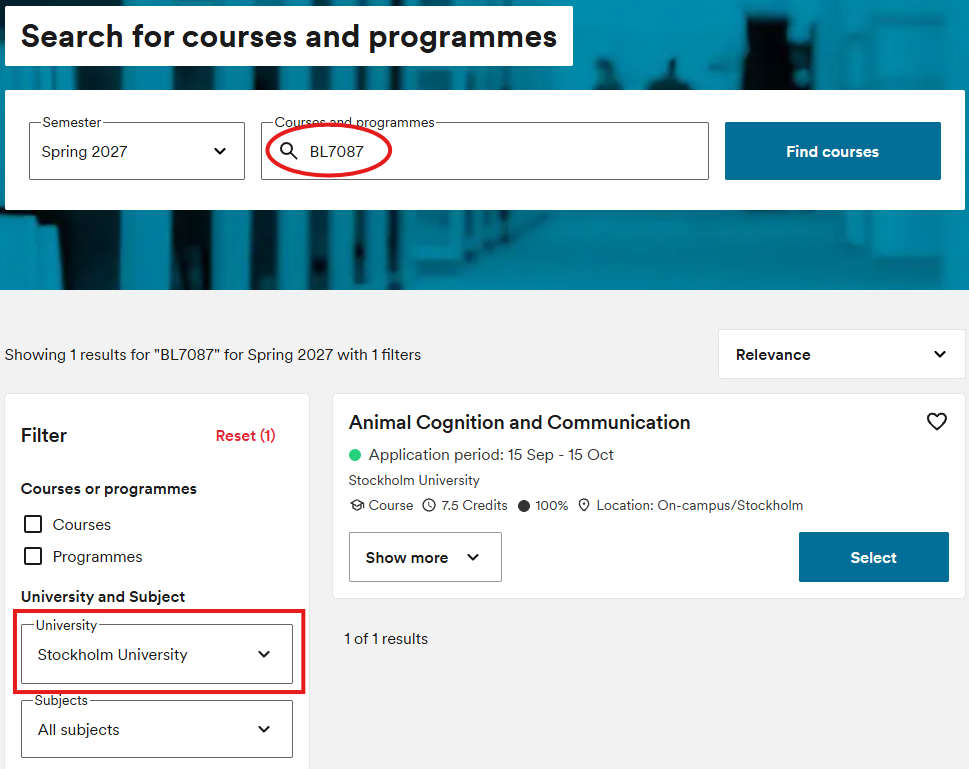
Search for a course using the application code, course code, or course name. You can also filter the search results by selecting Stockholm University.
Click "Select" for each course you wish to apply for.
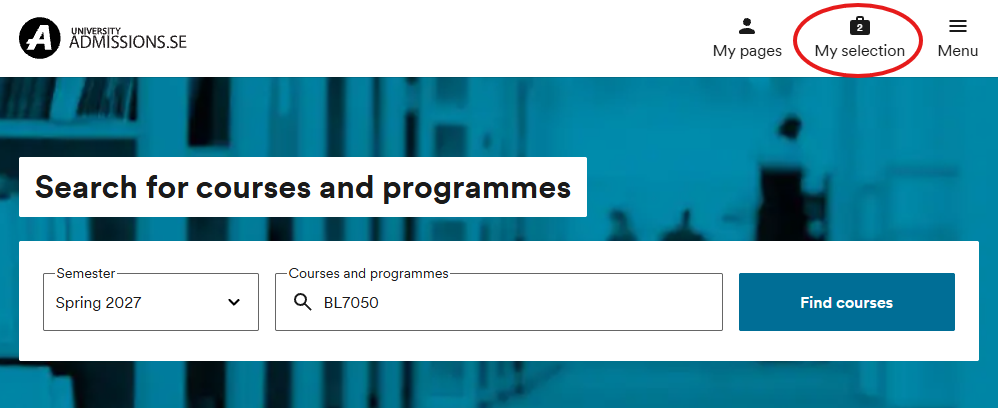
Once you have added all the courses you wish to apply for, click on "My selection" at the top of the page.
Step 3: Submit your application
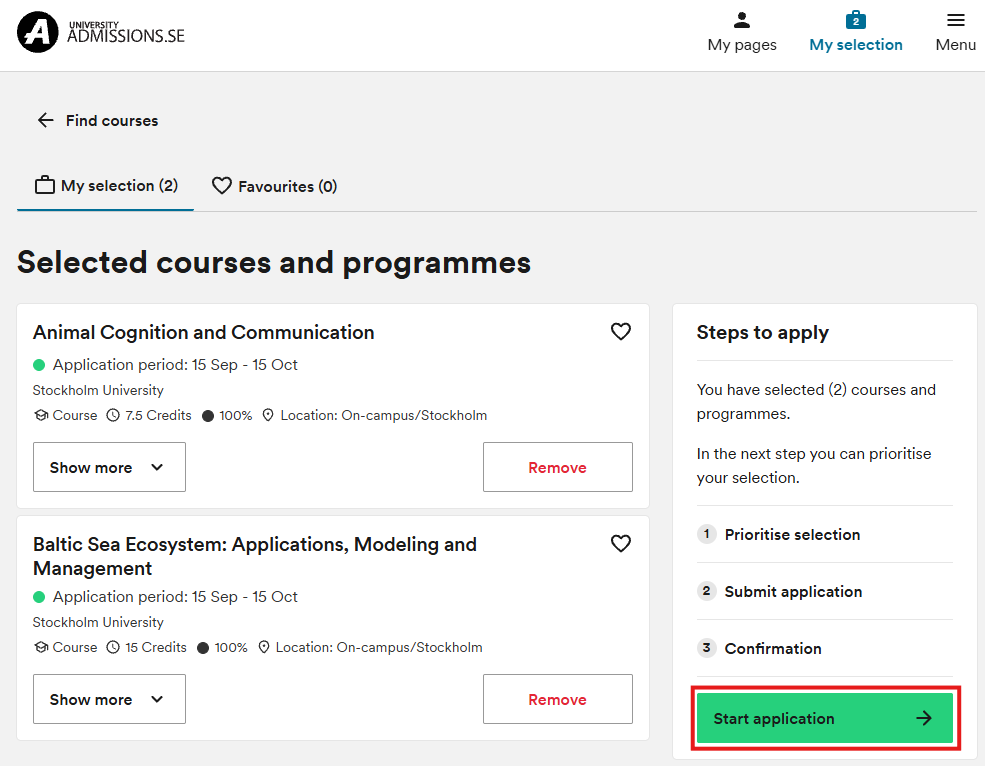
Click "Start application" and follow the instructions provided.
Important: Always rank compulsory courses above elective courses to ensure that you are offered a place on the compulsory courses. Similarly, rank elective courses above optional courses.
If you are enrolled in more than one programme, you will need to select which programme the course should be linked to. If you are unsure, please contact BIG.
Once you have submitted your application, you will receive a confirmation email. If you do not receive a confirmation, log in again and check that your application has been submitted before the application deadline.
Check your courses
Under "My pages" on universityadmission.se, you can view your application and your registered qualifications. If a result is missing, first check that it has been registered in Ladok. If a course is listed on your programme page at su.se but does not appear on University Admissions, please contact info.big@su.se.
If you cannot find your courses
If you cannot find a course on University Admissions, it may be because you:
- have not logged in using your Stockholm University account
- have entered an incorrect application code or course code in the search field
- have taken a study break or participated in an exchange programme
- are looking for a Master's-level internship course or a degree project. These courses are not applied for through University Admissions.
If you experience any problems, you should always contact BIG in the first instance.
Last updated: 2026-09-23
Source: Department of Biology Education